 Channel Blocker
Keep the channels you choose off YouTube.
In Safari on iPhone and iPad, videos from the channels on your list disappear from search results, recommendations, and related videos.
The same goes for Home (recommendations), related videos, and the channel's own page.
Block Lists and Safe Lists
There are two kinds of lists. Pick the one to use, and YouTube in Safari follows it.
Block List
Hides the channels you add. Their videos stop showing up.
Safe List
Shows only the channels you add. Those play as usual, and everything else stays hidden. Made for kids' devices.
Adding a channel
Type the channel's YouTube handle (the name that starts with @), or paste a link to the channel's page.
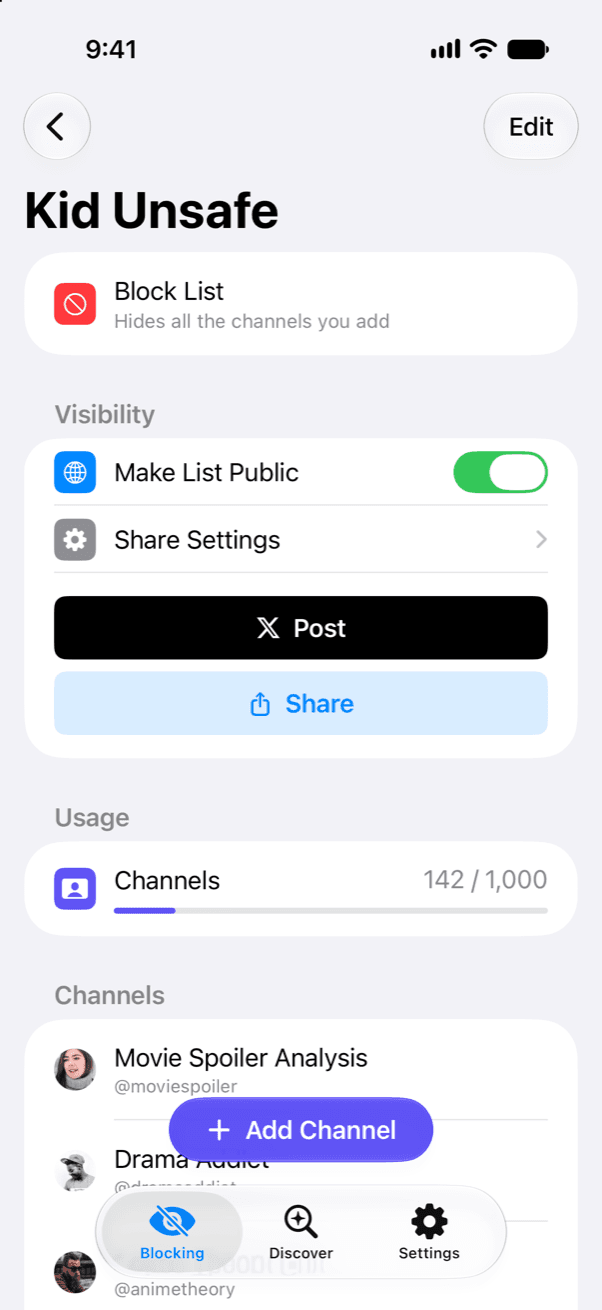
Import lists from other people
Bring a list someone else has published straight into your own. Browse #1 This Week, Trending, Monthly Ranking, or by category.
- You can publish your own lists and share them by link.
- Sign in with Apple to use the same lists on your iPhone and iPad.
Free and Premium
| Free and Premium | Free | PremiumSubscription |
|---|---|---|
| Lists | 3 | 100 |
| Channels per list | 10 | 1,000 |
| Block Lists and Safe Lists | ||
| Publish and import lists | ||
| Sync between iPhone and iPad | ||
| Block Shorts | – | |
| Block ads | – | |
| Face ID / passcode lock | – |
* Block Ads hides ads in your feed and search results. Ads that play before or during videos can't be removed.
Getting started
- 1
Install the app
From the App Store (free)
- 2
Turn on the extension in Safari
Settings > Apps > Safari > Extensions > Channel Blocker
- 3
Create or import a list
Add channels, then choose it as the list to use.
It's a Safari feature
- It works on YouTube opened in Safari, not in the YouTube app. On a child's device, limit the YouTube app with Screen Time.
- On iPad, Shorts can't be filtered by channel.
Coming soon to the App Store
Once it's out, you can get it from this page.